
Agent Workflow
Every agent in Discover is powered by a workflow — a visual graph of connected components that defines how a user’s query is processed from input to answer. Workflows are configured through the no-code canvas editor and can be customized to fit your specific use case.
Here’s how a sample agent looks like:
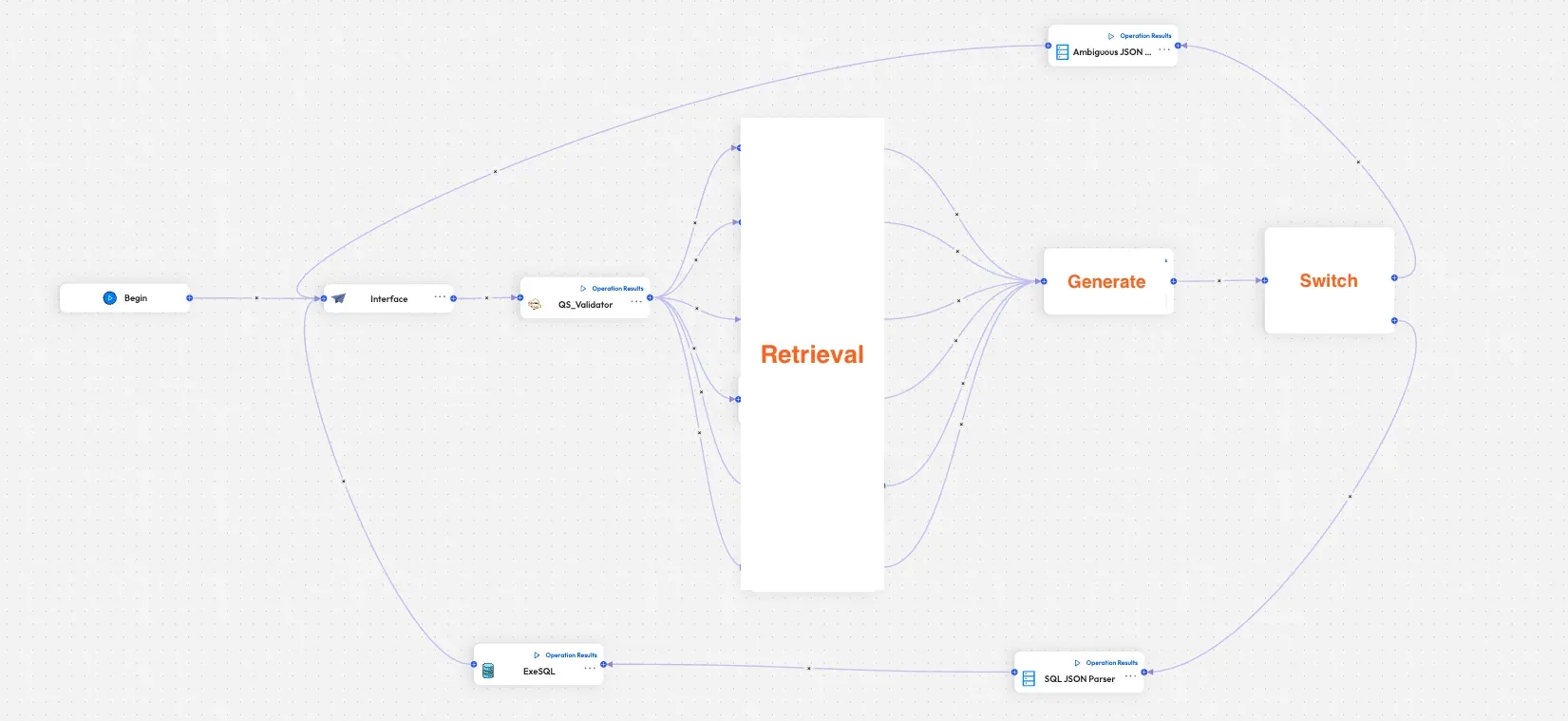
Workflow Structure
Section titled “Workflow Structure”A typical agent workflow follows this general pattern:
User Input → Security / Validation → Context Retrieval → Processing → AnswerEach step is represented by a component (node) on the canvas. Components are connected by edges that define the flow of data. See Agent Components for a full list of available components.
Agent Templates
Section titled “Agent Templates”Discover provides three built-in agent templates, each with a preconfigured workflow optimized for its use case:
| Template | Best For |
|---|---|
| Database Agent | Natural language queries over relational databases (PostgreSQL, MySQL, MariaDB) |
| API Agent | Fetching and processing data from external REST APIs |
| Coordinator Agent | Entrypoint that orchestrates multiple sub-agents |
Common Workflow Features
Section titled “Common Workflow Features”Security Checks
Section titled “Security Checks”All agent workflows include security validation to detect and block malicious inputs — including SQL injection, prompt injection, tautologies, and schema enumeration attempts — before any processing occurs.
Date Handling
Section titled “Date Handling”Agents automatically convert relative date expressions (e.g., “last 30 days”, “this quarter”) into absolute date ranges. Dates are never hardcoded — they are always calculated dynamically at query time.
LLM Configuration
Section titled “LLM Configuration”Agent workflows use precision-focused model settings to ensure consistent, deterministic outputs:
- Low temperature for factual, reproducible responses
- Chain-of-thought reasoning before generating SQL or API payloads
- Retry and self-repair loops on failure