
Setting Up LLM Models
Configure Large Language Models (LLMs) to power your agents and chats.
-
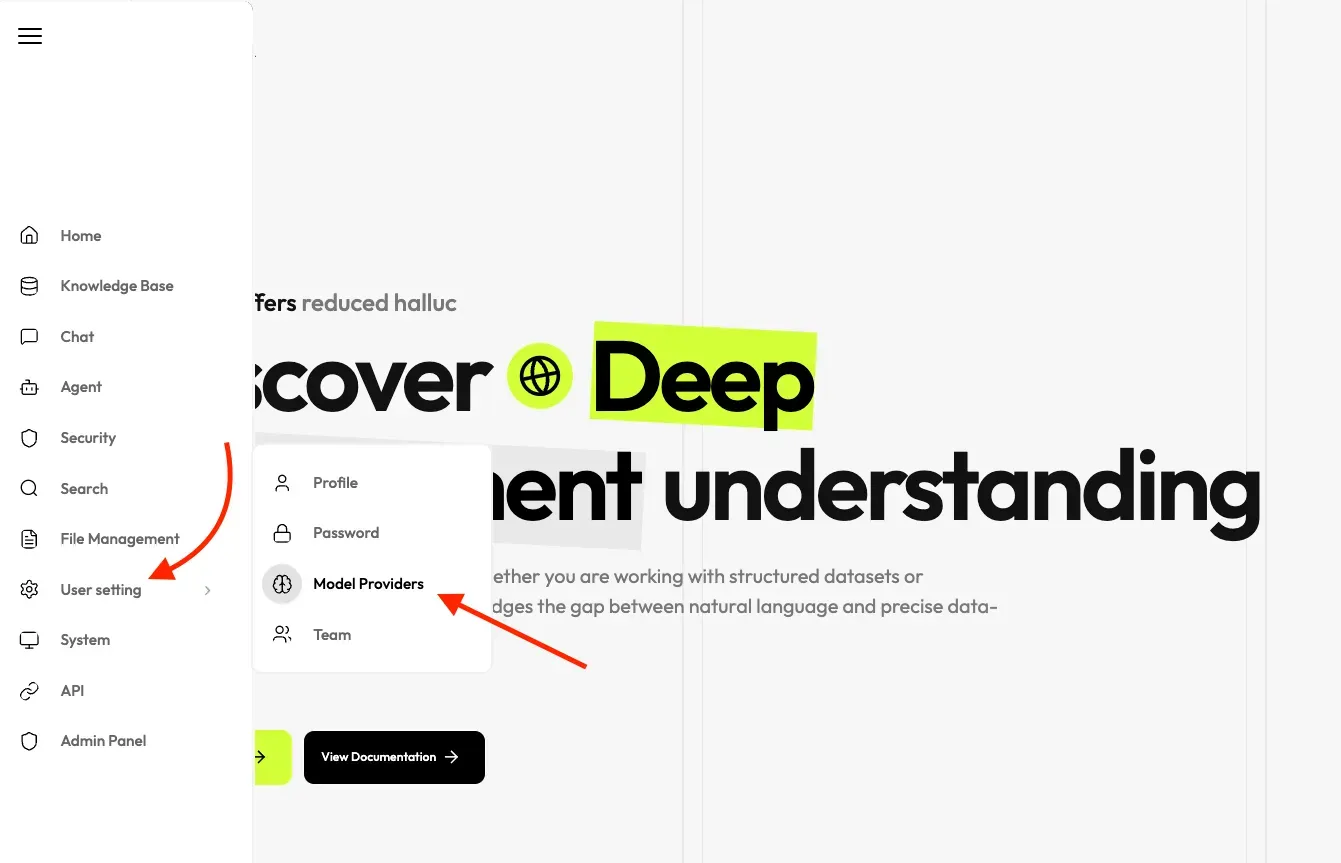
On the left sidebar, hover over User Setting and click on Model Providers.
-
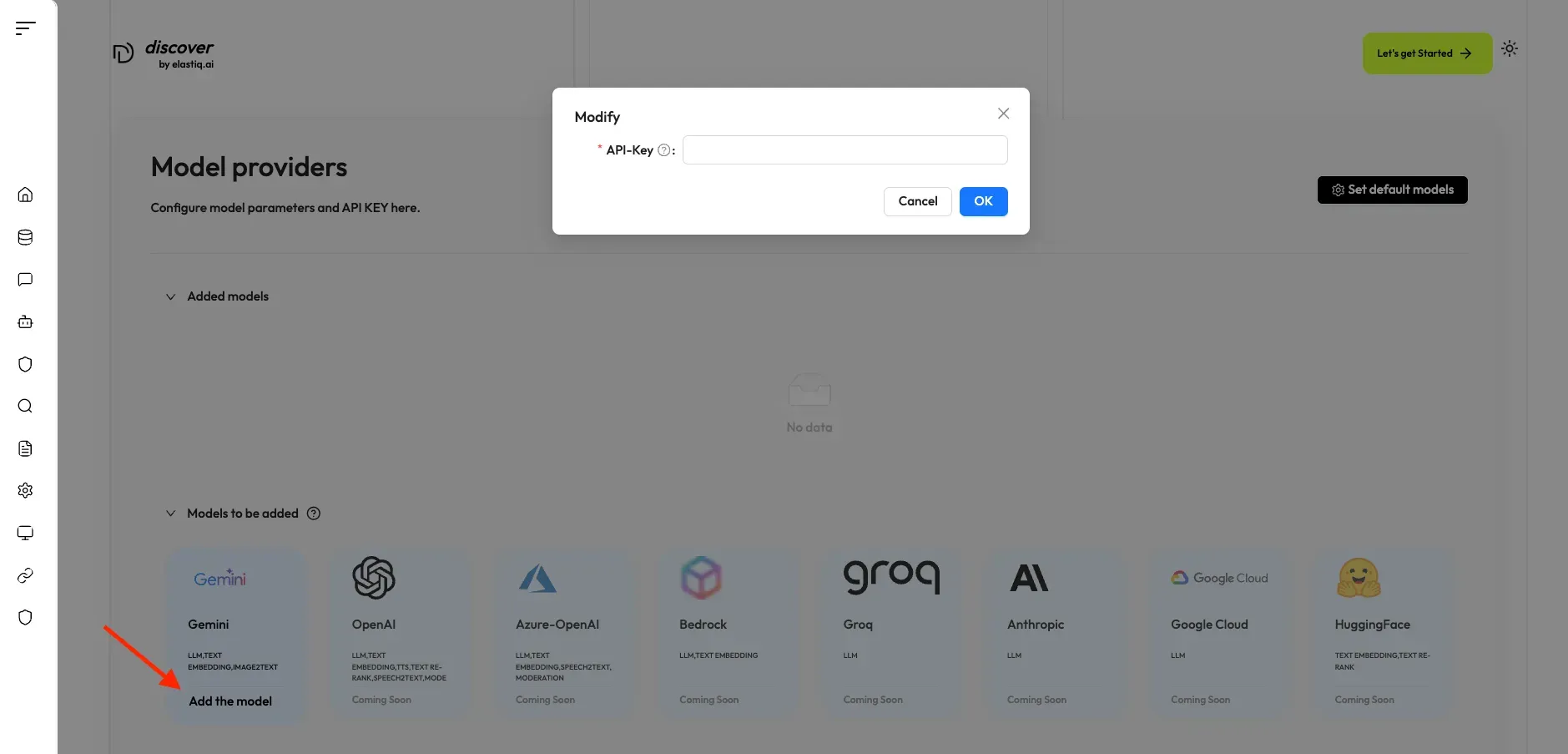
Select the LLM provider you want to use (currently only Gemini is supported).
-
Enter your API key for that provider in the designated field.
-
Click Add Model.
-
To set a default model for chat, embedding, etc., select Set Default Model and choose the correct models.
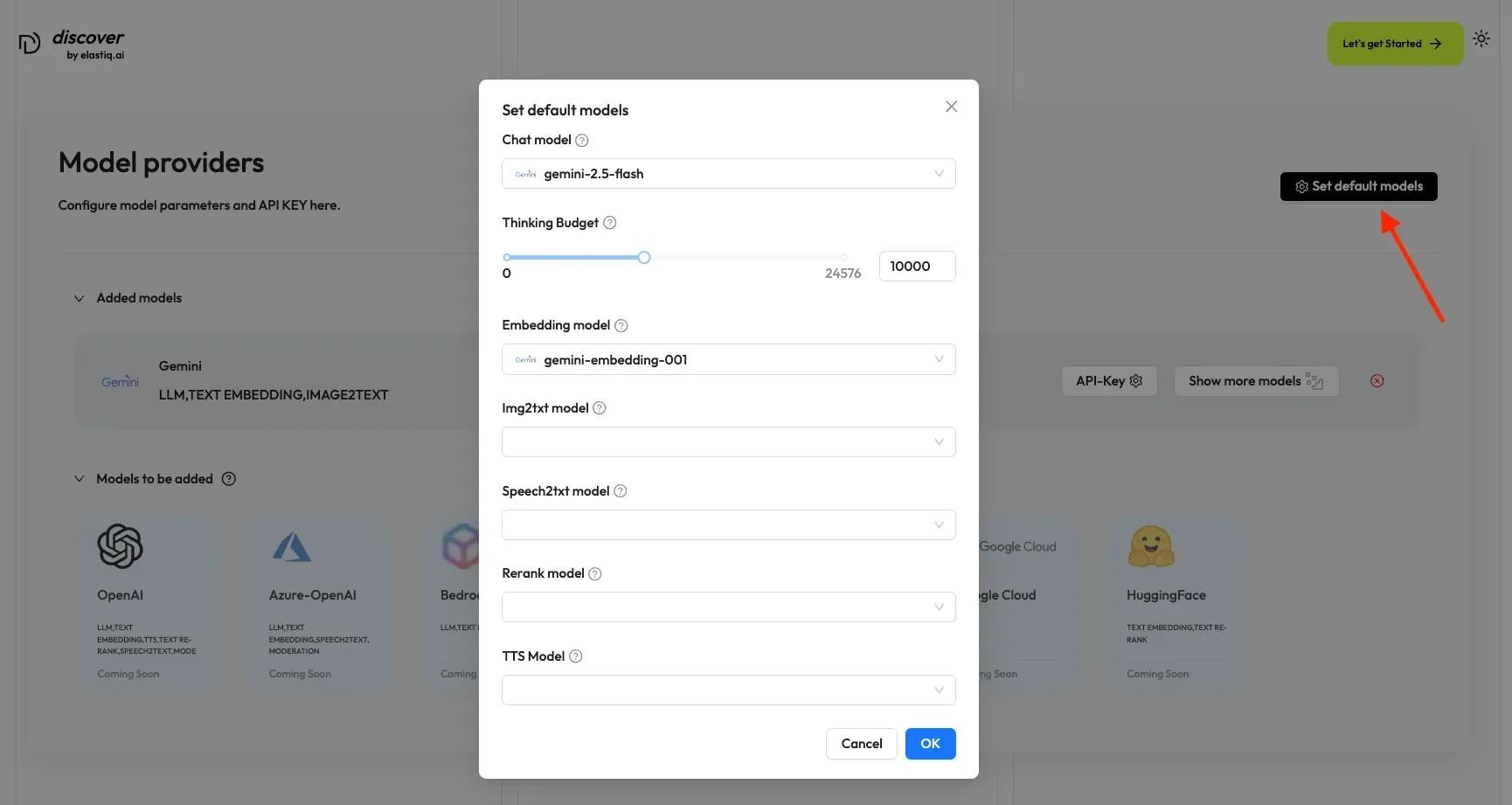
Your LLM is now ready for use in agents and chats.