
Monitoring
Double-check the health status of Discover’s dependencies.
Core Services
Section titled “Core Services”Discover depends on four services:
- Opensearch as the document engine
- MySQL
- Redis
- MinIO for object storage
If an exception or error occurs related to any of the above services, refer to this document to check their health status.
Viewing Service Health
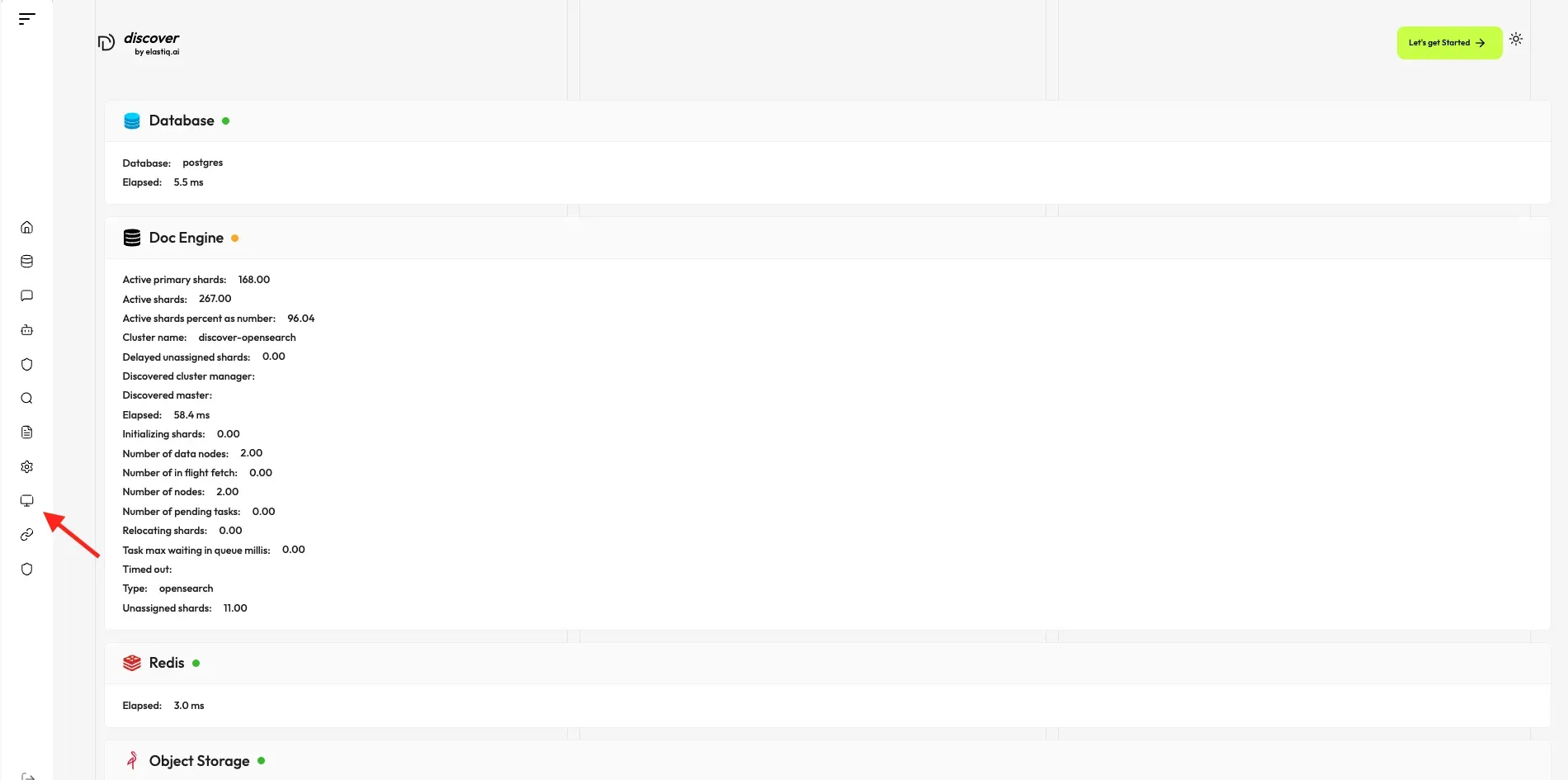
Section titled “Viewing Service Health”In the left sidebar click on System to view the visualized health status of Discover’s core services.
The System page shows:
- A green light next to each service indicates it is running healthily.
- A yellow or red light indicates the service is not running properly.
- The task executor displays the cumulative number of completed and failed document parsing tasks from the past 30 minutes.
Viewing Task Details
Section titled “Viewing Task Details”On the System page, you can click on a specific 30-second time interval to view the details of completed and failed tasks, including which documents were processed and any errors that occurred.
Troubleshooting
Section titled “Troubleshooting”If a service shows a yellow or red status:
-
Check the Docker container for that service is running:
docker ps -
Review container logs for errors:
docker logs <container-name> -
Restart the affected container if necessary:
docker restart <container-name>
Common services and their container names:
- MySQL:
discover-mysql - Redis:
discover-redis - MinIO:
discover-minio - Opensearch:
discover-opensearch