
Introduction to Agents
Agents and RAG are complementary techniques, each enhancing the other’s capabilities in business applications. Discover’s agent mechanism features a no-code workflow editor on the front end and a comprehensive graph-based task orchestration framework on the back end. This mechanism is built on top of existing RAG solutions and aims to orchestrate search technologies such as query intent classification, conversation leading, and query rewriting to:
- Provide higher quality retrievals, and
- Accommodate more complex scenarios.
Create an agent
Section titled “Create an agent”Click the Agent tab in the sidebar to show the Agent page. The cards on this page represent the created agents, which you can continue to edit.
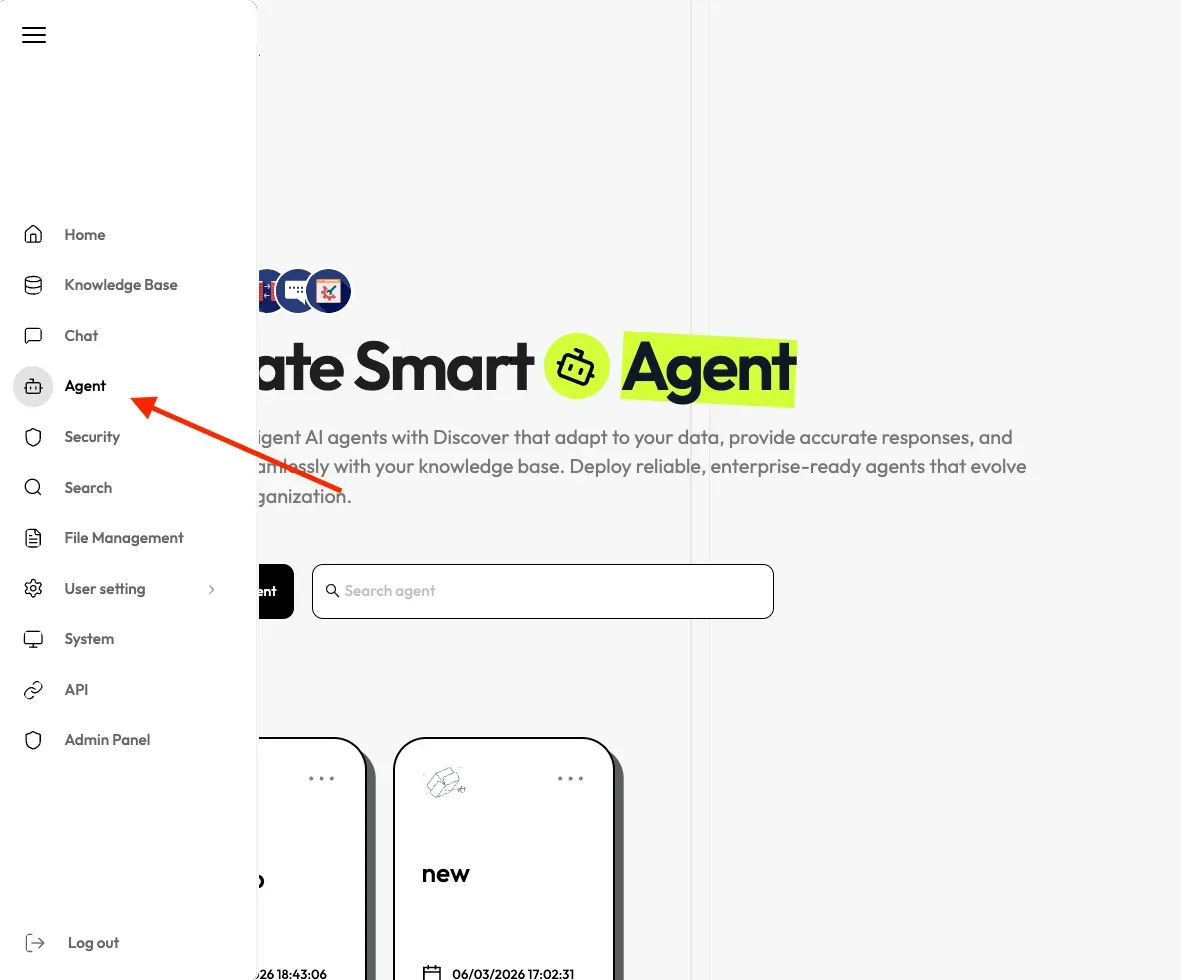
We provide templates catered to different business scenarios. You can either generate your agent from one of our agent templates or create one from scratch:
-
Click + Create agent to show the agent template page.
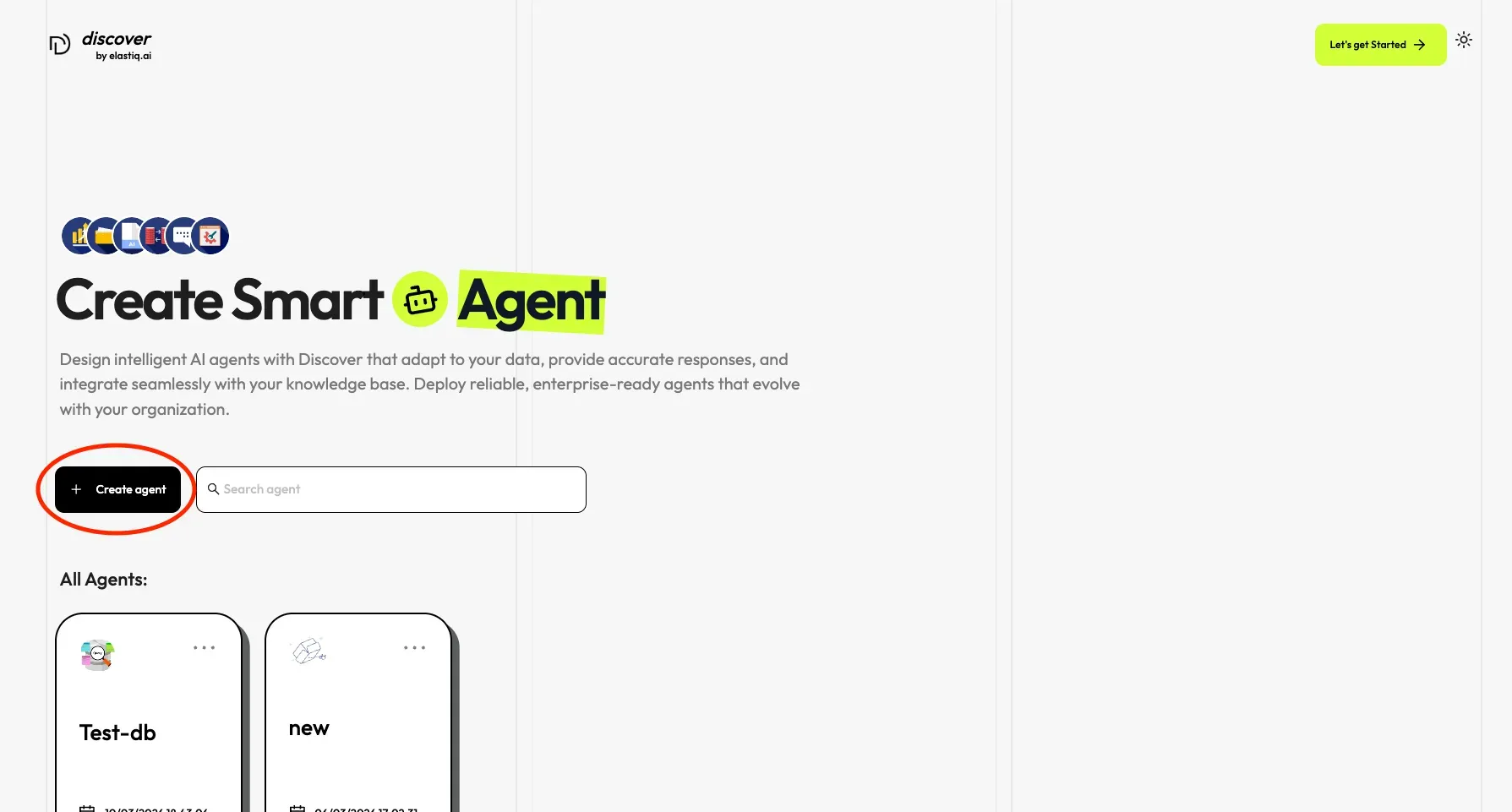
-
Select an agent template from the given options, in the pop up window according to your need. To know more about the different agent templates, see Agent Templates.
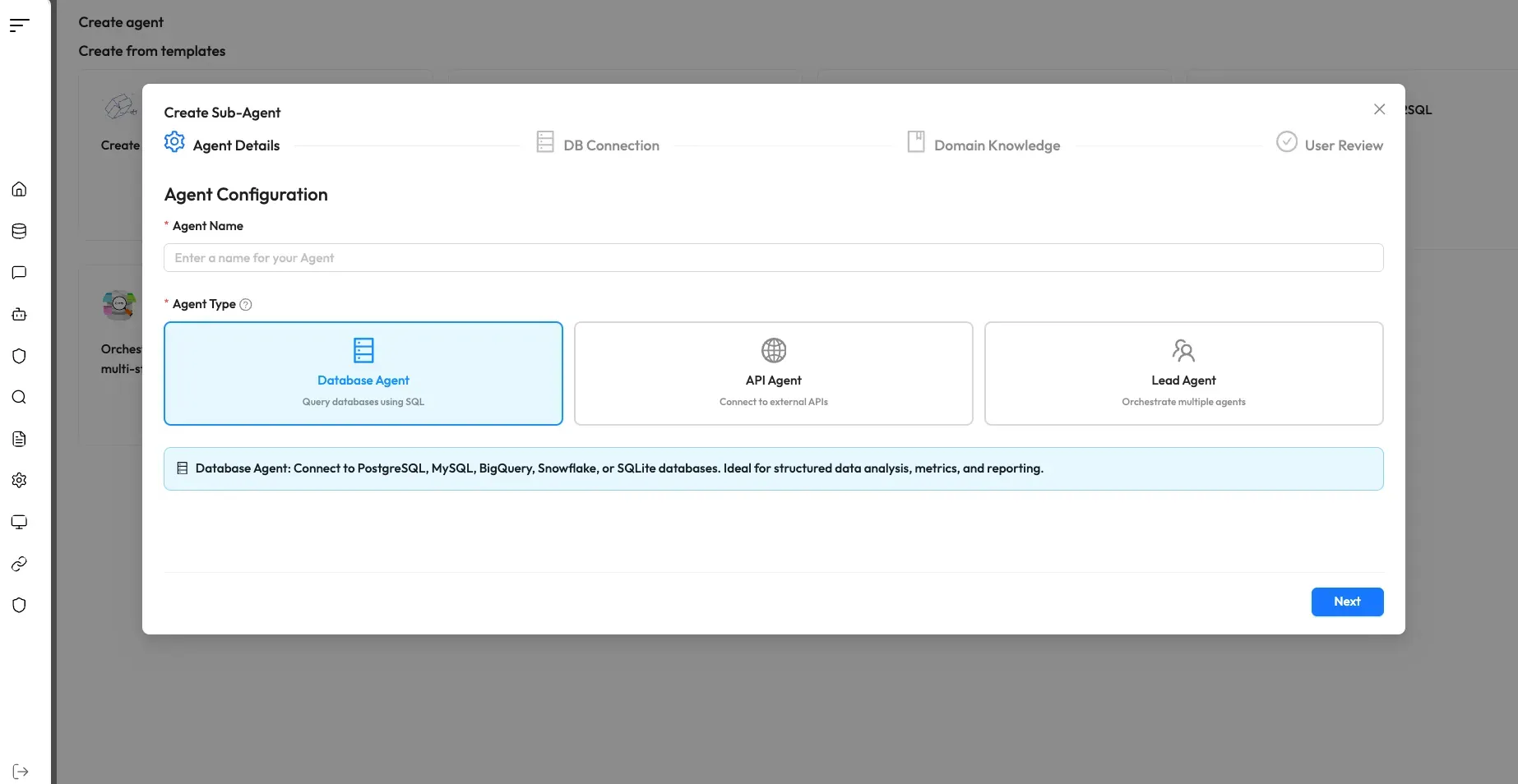
-
Fill the details as specified and click on Create Agent.
After creating the agent press Run to test it.
Components are the building blocks of every agent workflow — drag them onto the canvas, connect them in sequence, and configure each one to define your agent’s logic. For a full list of available components, see the Component Overview.
Basic operations
Section titled “Basic operations”| Operation | Description |
|---|---|
| Add a component | Drag and drop the desired component from the left panel onto the canvas. |
| Delete a component | On the canvas, hover over the three dots (…) of the component to display the delete option, then select it to remove the component. |
| Copy a component | On the canvas, hover over the three dots (…) of the component to display the copy option, then select it to make a copy of the component. |
| Update component settings | On the canvas, click the desired component to display the component settings. |